For me, 100% customer satisfaction is both a concern and a promise to you."


Google Analytics is a free web analytics service that provides statistics and basic analytics tools for search engine optimization (SEO) and marketing purposes.
Attention: As of July 1, 2023, Universal Analytics will no longer process new data in standard properties. You can prepare by switching to Google Analytics 4 in time.
Here is the official information from Google about the disabling of Universal Analytics.
The service is available to anyone with a Google account.
Features include:
On this page you will find an overview of the various functions of Google Analytics.
If you are already interested in specific topics related to Analytics, you can find more in-depth content here.
To use Google Analytics, you need to integrate a so-called tracking code on your website.
When the tracking code is loaded on the page, a hit is generated and sent to Google Analytics. This hit collects all known information about the user at that exact moment – a snapshot of information.
This information is transmitted each time a hit is sent to GA.
Important:
Remember that the hit is a snapshot of information at a particular point in time. So if the user resizes the viewport in the middle of the session, GA will only know about the change if the user has triggered an event or visited another page. If the user left the page without firing another hit, GA would have no way of knowing this.
Currently, Google Analytics 4 is the default when you create a new property in Google Analytics.
However, I still recommend that you run both types in parallel. So a Universal Analytics Property and a Google Analytics 4 Property.
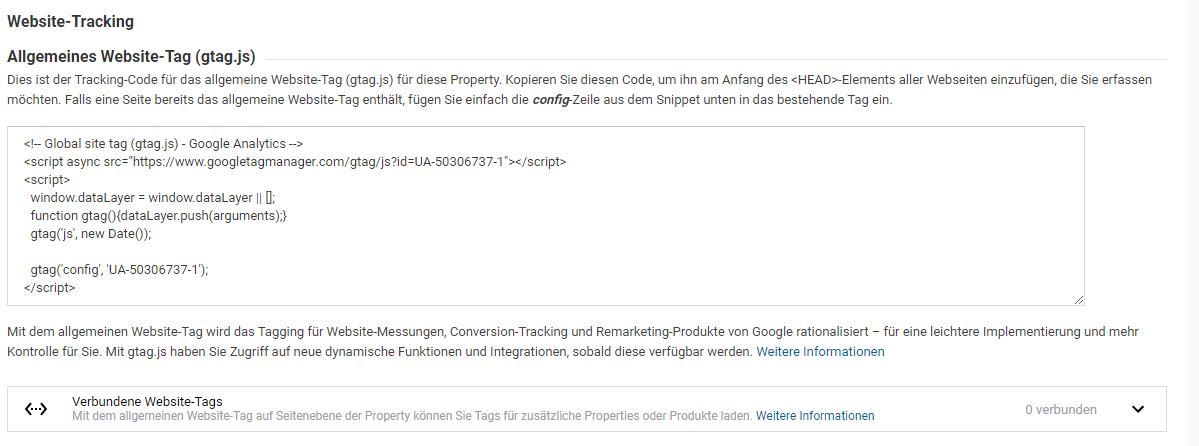
To install Google Analytics now, all you need to do is integrate one of the following tracking codes on your website.
In the following figure you can see the tracking code for a Google Analytics installation.
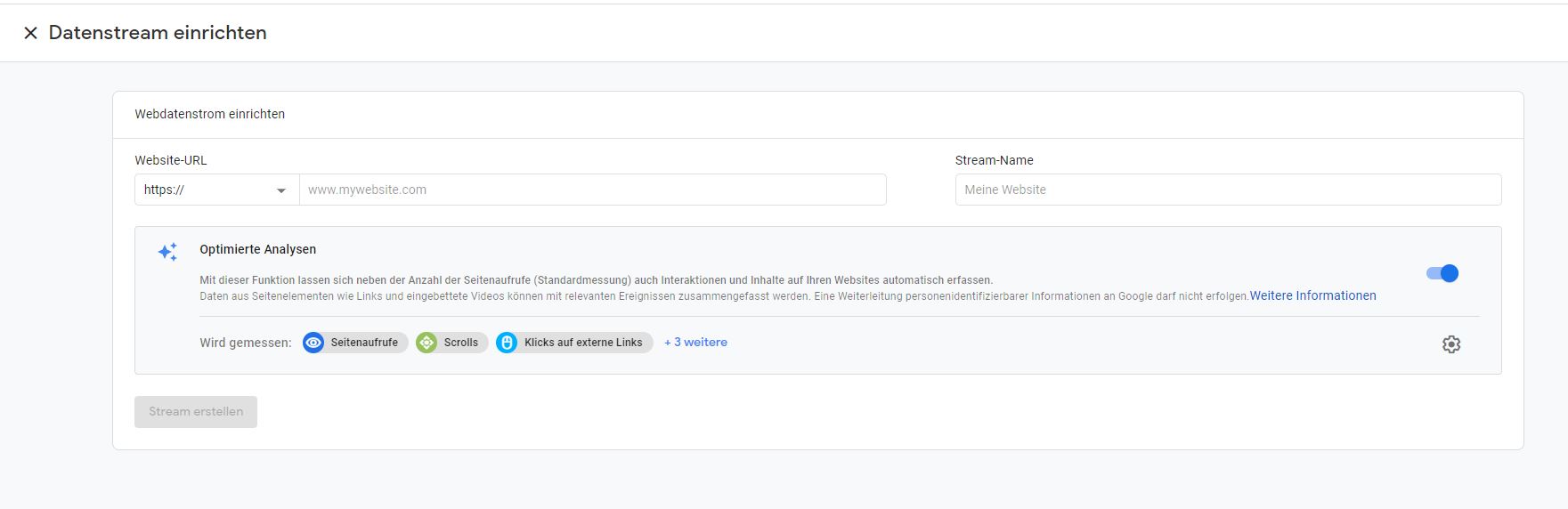
In the following figure you can see the so-called data streams of the new Google Analytics.
Now that you have received the tracking code, you need to integrate it on every page of your website. (in the Head area)
If you use WordPress, there are many plugins that will do this for you.
My recommendations are:
It is now important that you think about a tracking concept and configure Google Analytics accordingly.
If you choose the free Google Analytics version, your Google Analytics costs will be 0 € 🙂
Even the free version offers a wide range of options and is perfectly sufficient for 99% of users. At all, since there is now the new Google Analytics 4, which has been supplemented with some features.
Now you’re probably wondering what the other version has to offer? The paid version is Google Analytics 360 and is charged with a whopping sum of about 135 000 € per year.
What is this price based on? This is based on the number of hits per month. The free Google Analytics version is limited to 10 million per month. If your business goes over this limit, then you should consider Google Analytics 360.



"Glad to welcome you to our website. Any questions? Why not give me a call right now with no obligation and we can discuss your concerns in person."