For me, 100% customer satisfaction is both a concern and a promise to you."


The most important tool for any start in search engine optimization
Next to Google Analytics, Google Search Console is the most important and first tool you should set up for your website.
This article explains the setup and the most important functions of the GSC.
An introduction to Google Search Console
An all-purpose tool for SEOs and one of the most important tools for starting and optimizing your website.
Share article!

Author: Marc Heiss
Position: Management
Updated: 25.09.2021
I would like to recommend you to start with my articles about SEO , here you can inform yourself in advance about search engine optimization and how Google works.
Have you ever wanted to know how Google sees your website? Google offers us this function with its Search Console. Basically, you can easily access the function via Google Search Console. Once there, you can have any page of your domains checked.
The important thing here is that you have listed and confirmed your website. Then just enter the desired webiste URL and Google will render it for you. There is also the possibility to use the mobile crawler to test your mobile website. You will learn how this works in the next sections of the article.
What benefit do I get from it now? First, you can determine if Google sees the page the way I would like it to. I can also detect third-party accesses that have made changes to the website that are not visible to us ( spam keywords).
Meanwhile, you can use the “How does Google see my page” tool to determine which images, CSS or Javascript are blocked. This way you make sure that Google and the user see the best possible of your site and can react to errors in time.
First of all, you need to have a Google account, which you can create relatively quickly directly on Google.
Next, you will need to submit your new website via https://search.google.com/.
All you have to do is select whether you want to create a domain property or a URL prefix.
What is the difference?
Domain Property: You can submit all subdomains and protocol versions (http, https) with one entry. The only disadvantage is that you have to create a DNS entry for it.
URL prefix: You select the desired version of your website. I always recommend submitting all versions. (https, http etc.) Of course, you can also create each subdomain separately to make filtering easier. A Google Analytics, Google Tag Manager or a file upload via FTP is required here for confirmation.
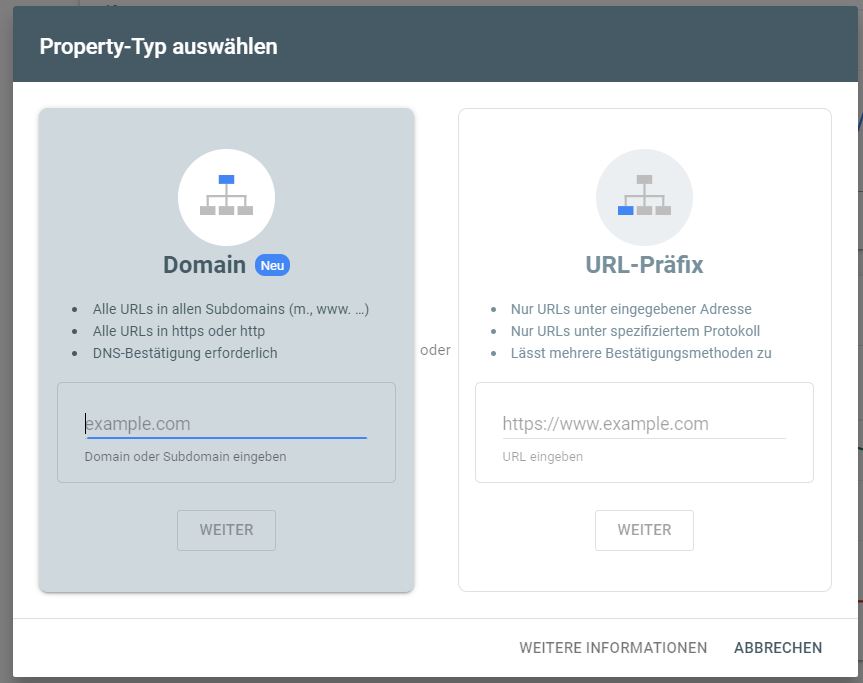
After the installation has worked, Google starts collecting data. Now this is very important. The page must be submitted only once, then data will be collected, so this should always be done at the beginning.
On the left side you will find the most important navigation points:
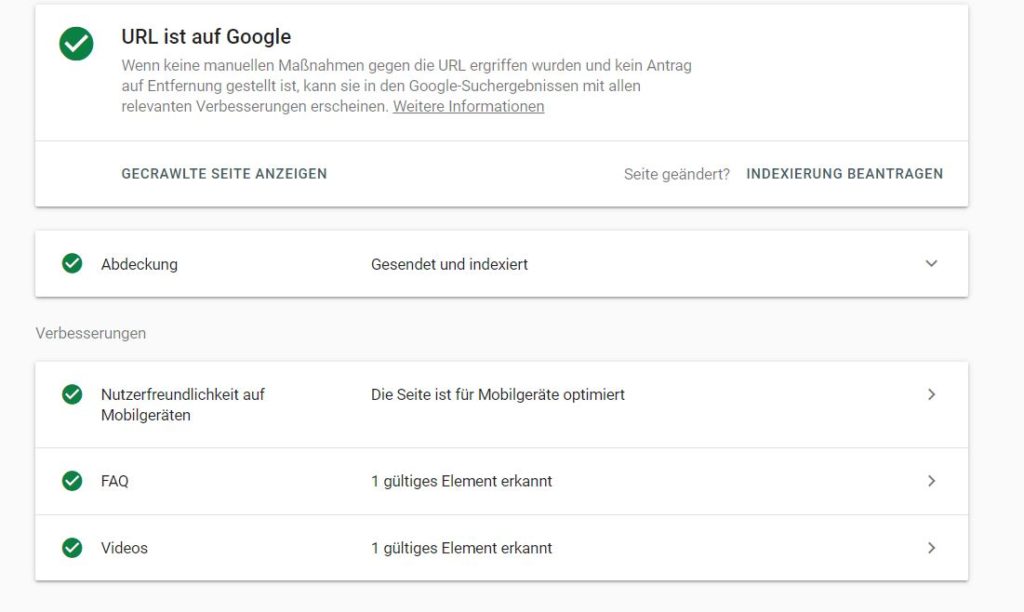
Using the search line at the top or by clicking on any of your pages in the performance view, you can have Google check the URL.
Here you can see immediately whether the URL is indexable for Google or already in the index. If not, you can request an “indexing” here relatively quickly, you just have to click on the appropriate link.
Google also shows any sturctured data and whether it was integrated without errors.
A very important tool and quick to discover errors on their own pages.
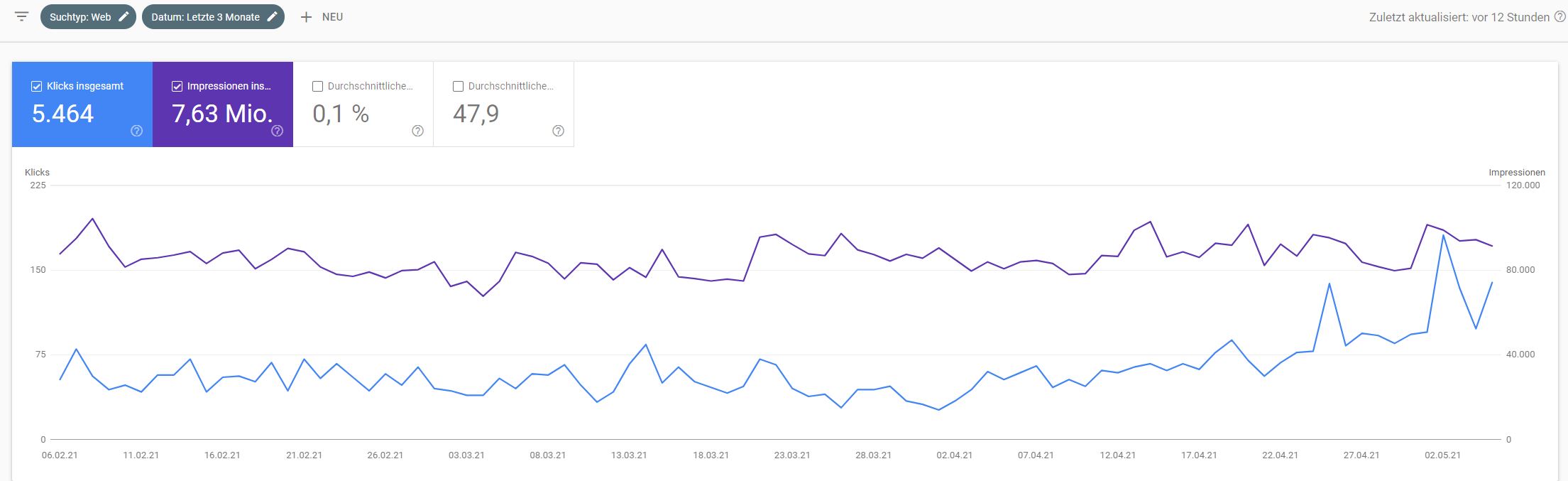
In this report you can monitor your performance in Google Search. You can display up to 4 lines with different key figures:
Below you have the corresponding keywords and one or all of the above metrics to view.
Here you can then evaluate your search queries, pages, countries, devices and the display in the search.
The report can also be filtered very easily. To do this, simply click on the plus above and you can apply a filter.
A very new feature is the regex filter possibility!
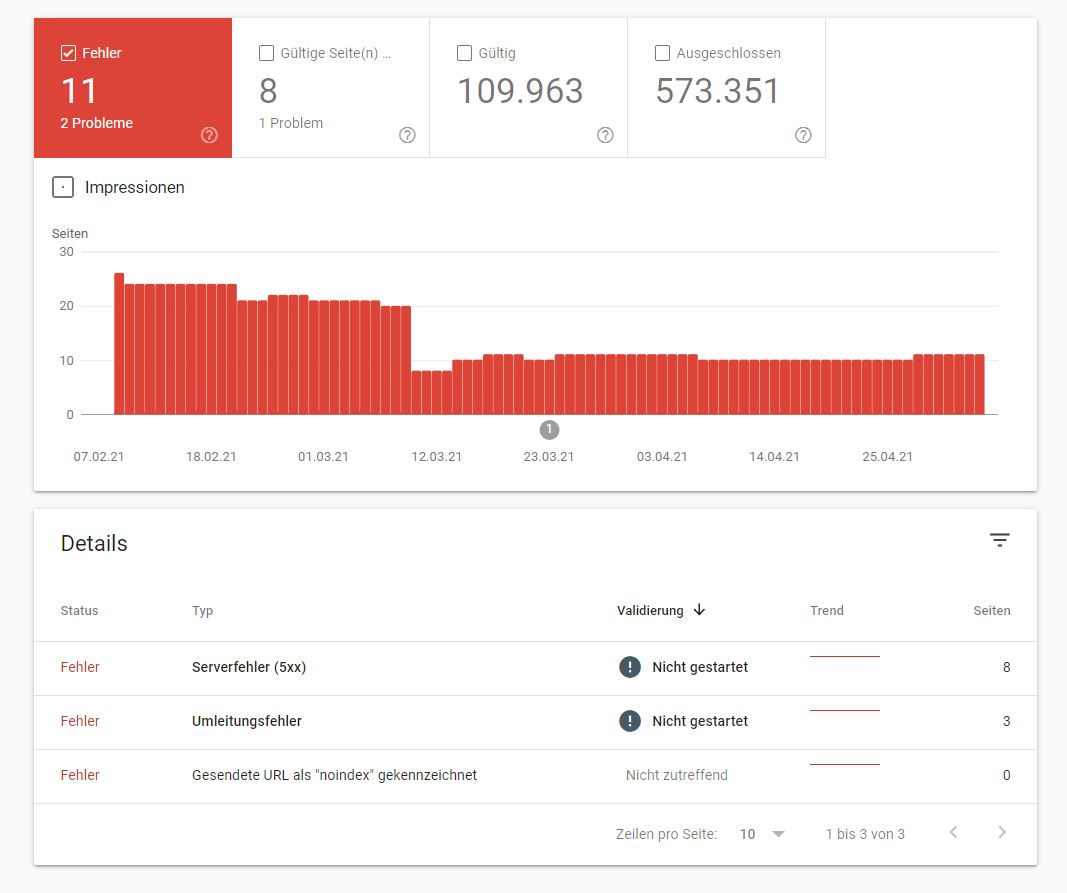
In this report you can view data about the indexed pages. That means, here you can check if the number of URLs set up in your sitemap matches this one. If there are differences, you will find the answer right here.
Google offers you many details about possible errors. My recommendation, watch for deflections and error messages. You should fix all of these in time.
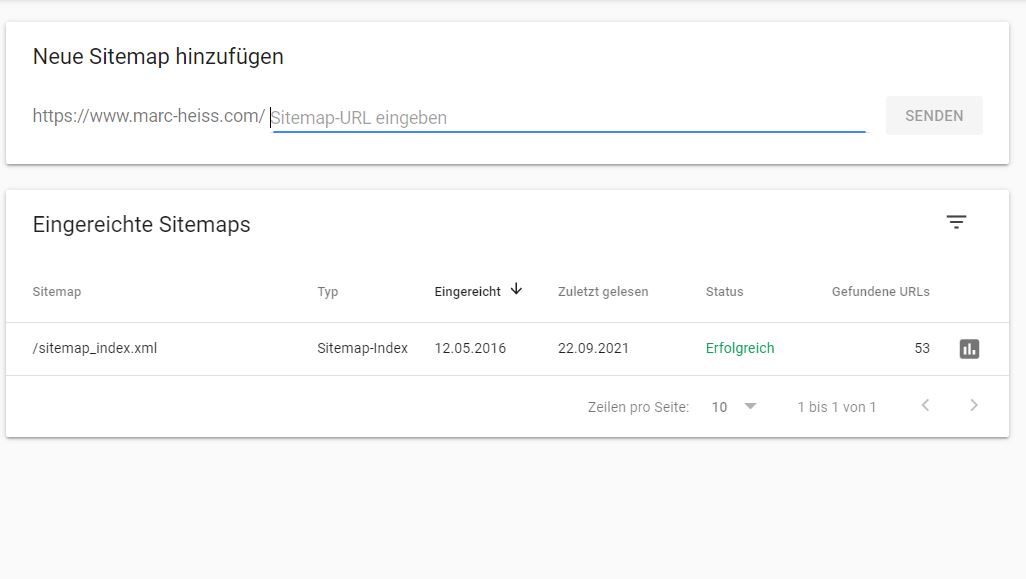
The Sitemaps section in Google Search Console is very important because you can store your XML sitemap here. In the articles linked here you will find everything about creating your sitemap.
If you have already created them, you only need to enter their path in Search Console. (see screenshot)
After successful deposit, Google immediately checks the status and how many URLs this sitemap contains.
Why should you store your sitemap in Google Search Console?
This is essential so that Google can find and index your pages faster.
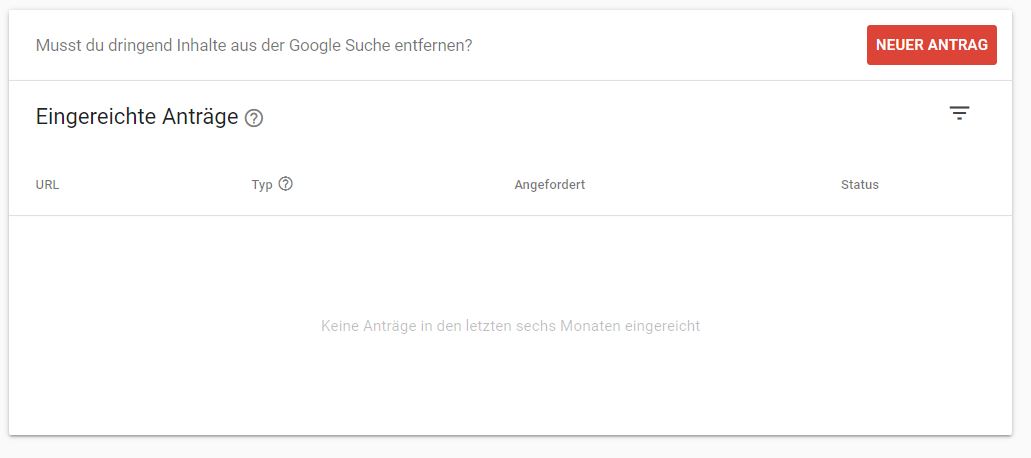
Have you ever had the problem that you wanted to remove URLs from the Google index? Then you should be happy with this tool, because it does exactly what it is supposed to do.
On the left side of Search Console, in the Index section, you will find the Remove menu item.
Once there, you can submit a new application using the red button. There you just have to enter the URL you want to remove. There is also a possibility to remove multiple URLs at the same time using a URL prefix.
But be careful, here really only remove URLs where you are 100% sure.
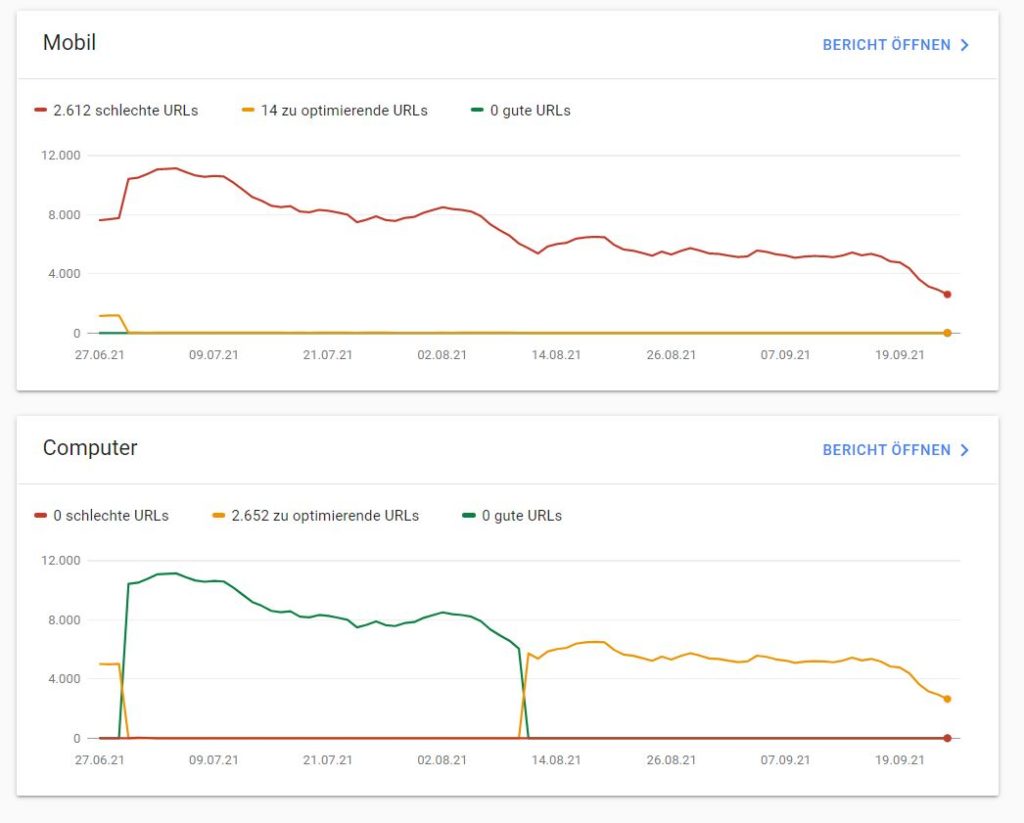
Under the Core Web Vitals report you can find the performance of your URLs checked by Google. For those of you who don’t know what Core Web Vitals are, here’s an interesting article about them.
It is important to know here that Core Web Vitals are a ranking factor since Google’s Page Expierience Update. It would therefore be desirable to find most URLs in the green area here.
If no data is displayed for your domain, this can have two reasons:
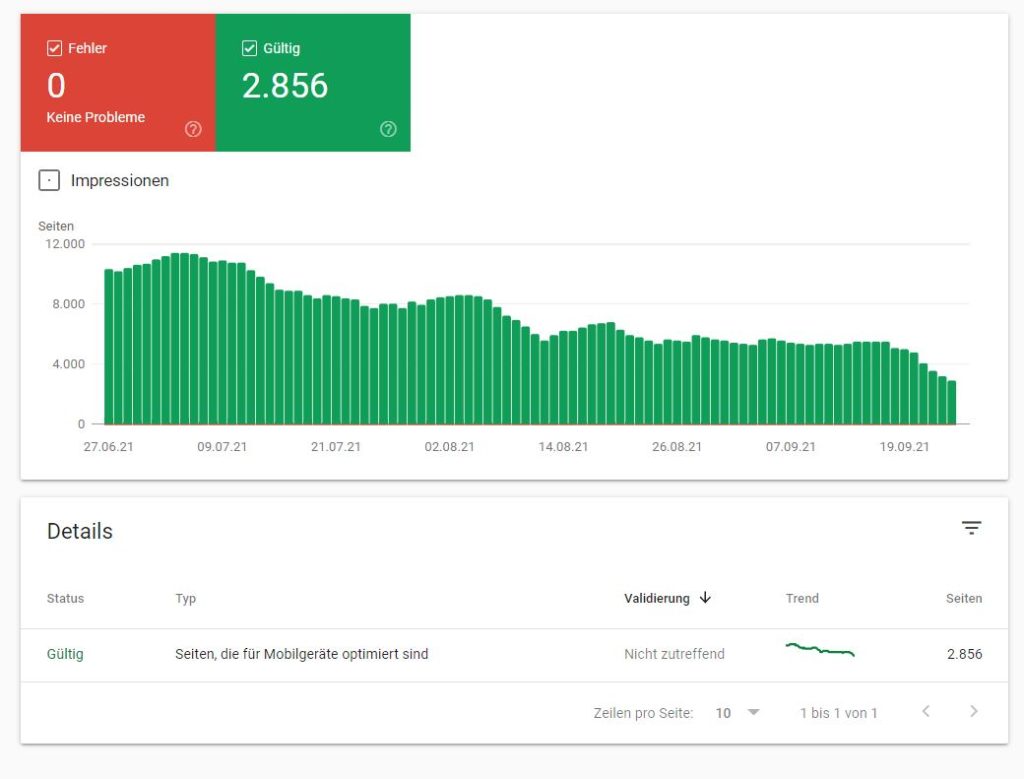
In the mobile user experience report, you can find any errors or valid URLs of your domain.
Here it is important that you have as few mistakes as possible. Google would immediately show you the problem in case of errors and you can fix it accordingly.
Once you have integrated structured data on your site, you will find the corresponding data in Search Console. The positive thing here is that you are thus immediately informed about any errors directly in the GSC.
Google adds according to your structured data the suggestions for improvement on the left side.
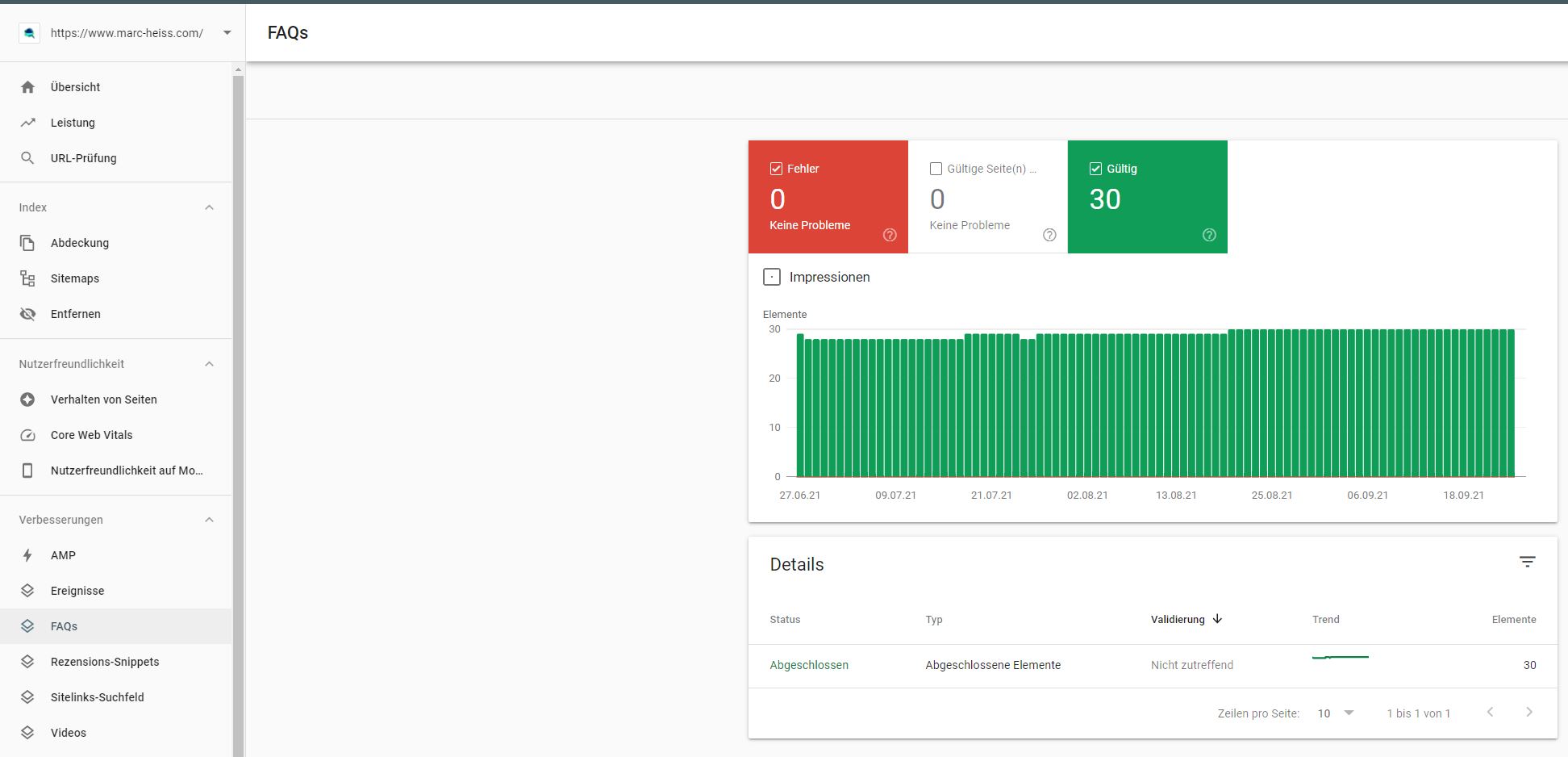
In the links section you will find a lot of information about the external and internal links of your domain.
The following information is available:
Keywords and topics should be reviewed through a tool such as Google Keyword -Planner to ensure enough search volume and potential visitors can be reached. Don’t be put off by very low search volumes, often they are niche terms but very close to the sale.
Always make sure to write content tailored to your target audience. Do not focus on one keyword but additionally go for the long tail keywords (2 or more words).
Once you’ve created relevant content for your target audience, you should also make sure your website is SEO friendly.
Here is a list of helpful SEO tools.
Use tracking tools like Google Analytics to measure your success. This is an essential step to be successful in the long run. Your competition never sleeps.



"Glad to welcome you to our website. Any questions? Why not give me a call right now with no obligation and we can discuss your concerns in person."