For me, 100% customer satisfaction is both a concern and a promise to you."


“The Google Shopping Feed, is your ticket into the world of Google Shopping. In this article you will learn all the important information about it.” – Marc Heiss
Users buy products online. Are you already taking advantage of this opportunity?
Higher conversion than with traditional Google Text Ads.
Transparency for your customers and the direct possibility to purchase products via your webshop.
Startseite » Google Shopping »
A good way to create a product feed is to have a large table where the rows are all your products and the columns are all the fields Google needs.
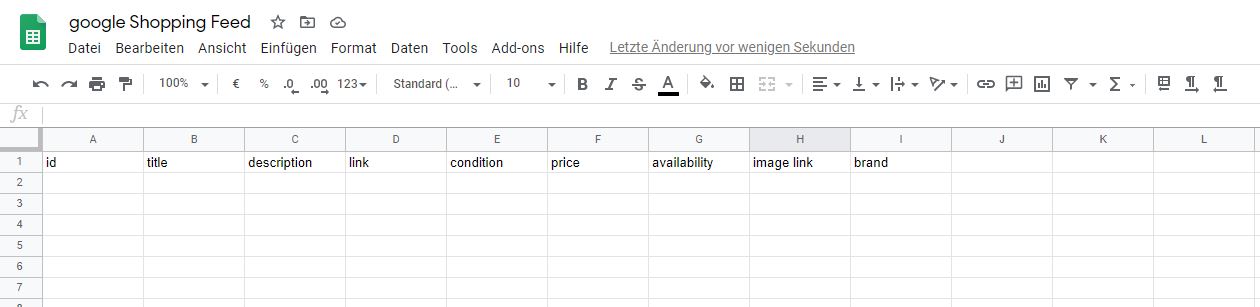
E-commerce platforms like Shopify, WooCommerce, Magento or Bigcommerce all have apps, plugins or extensions to simplify feed creation.
There is a great plugin for Shopify, which you can find here.

All you have to do is follow the installation instructions and you have created a feed for Google Shopping.
Of course, there are also super simple plugins for WordPress that allow you to create Google Shopping feeds.
Here you can find 2 plugins, which I have often used myself and recommend.
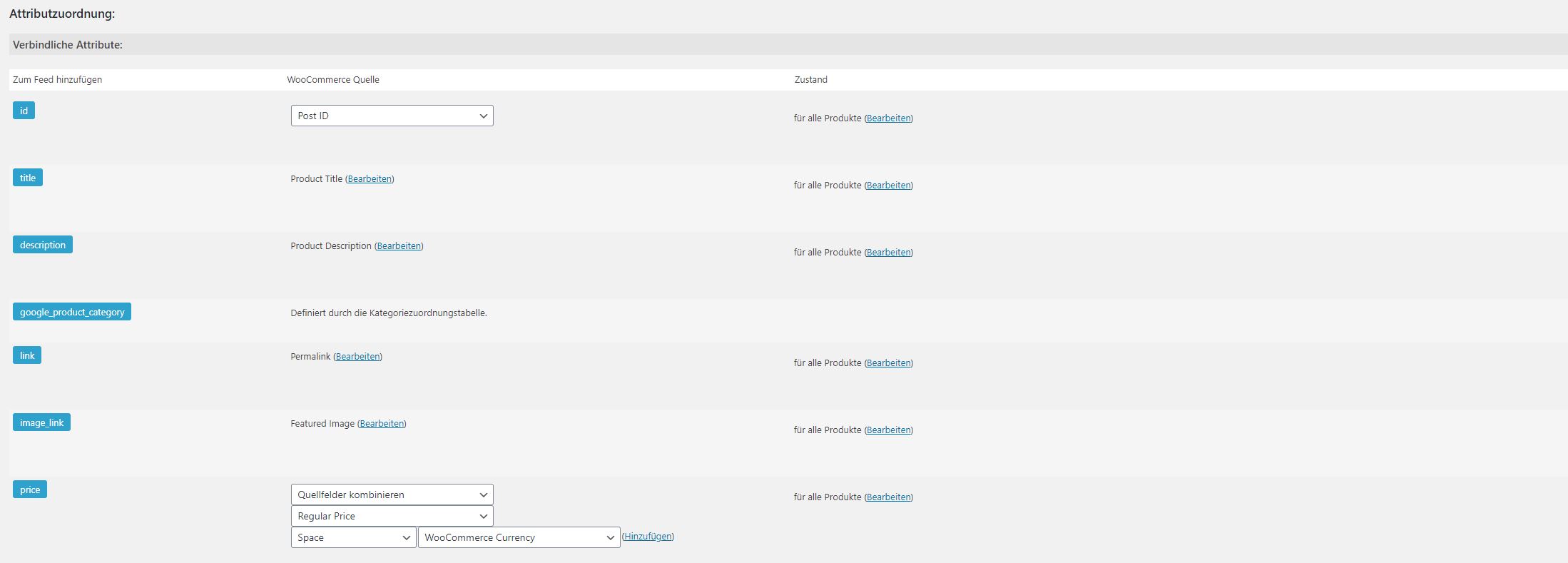
Now you basically just need to set up the feeds in the plugins and assign the attributes according to your Woocommerce fields.
If you have access to Google Analytics or Google Tag Manager, you can use them to verify ownership. If this doesn’t work, try the meta tag option, which requires you to add a small meta tag to your website’s HTML code.
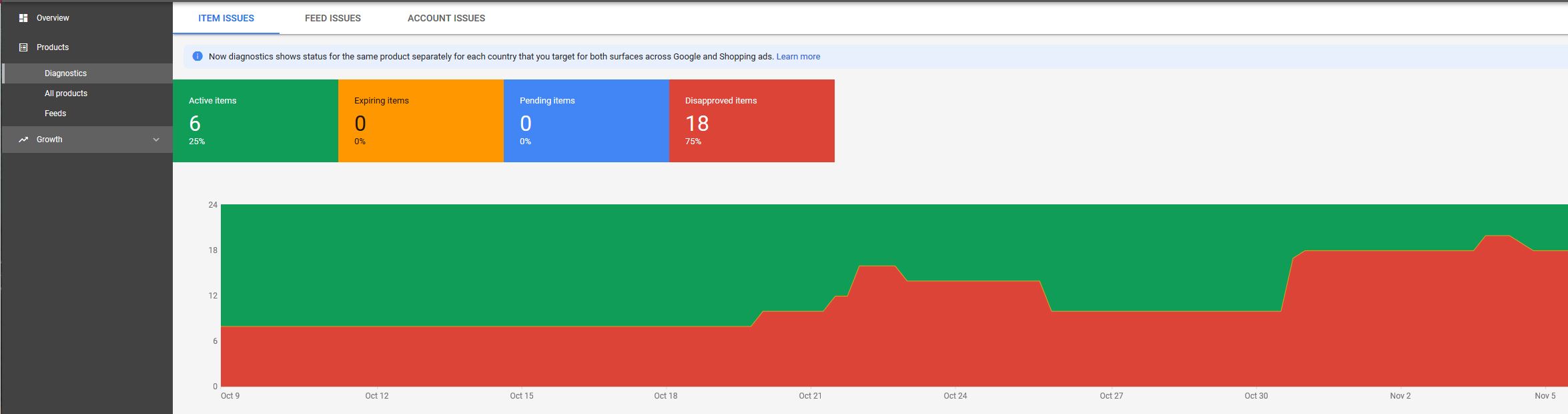
These errors and warnings indicate that there is missing or incorrect information, or that the information does not meet Google’s product data requirements.
What is the Google Merchant Center?
Tips for the perfect Google Shopping start



"Glad to welcome you to our website. Any questions? Why not give me a call right now with no obligation and we can discuss your concerns in person."